

AiHello’s AutoPilot is an automation tool that analyzes your campaigns in real time and makes continuous bid adjustments based on live performance data.1
Automated Bidding via AutoPilot1
The AutoPilot dashboard gives you a complete overview of how your Amazon ads are performing and more importantly, how they’re being automatically optimized in real time.
This is not just a report, it’s a live control panel that reflects the impact of AiHello’s automation. Every number here tells you a story about your campaigns: where your money is going, which ads are converting, and how your ACoS is being kept in check without manual intervention.
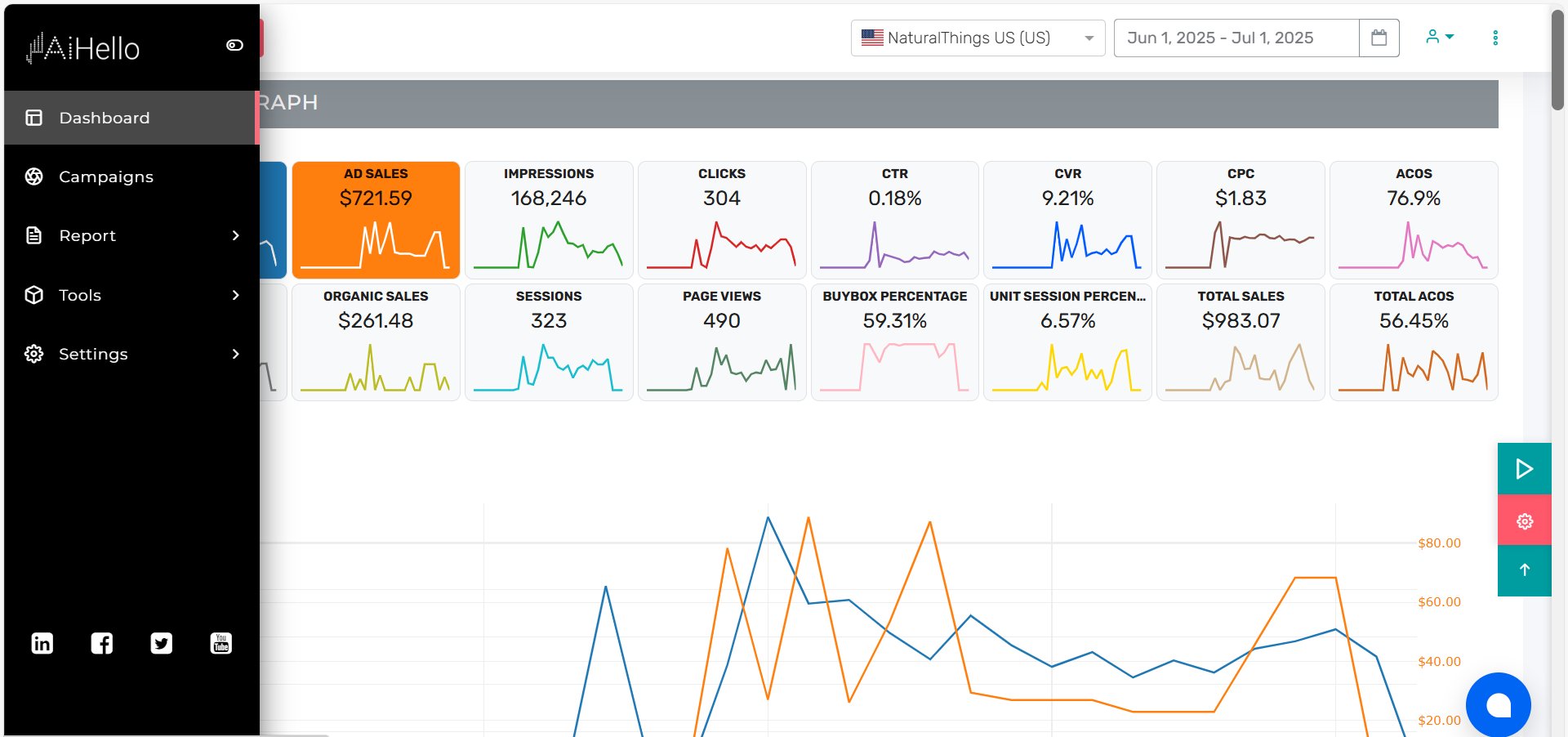
The AutoPilot dashboard shows key ad metrics like spend, sales, and ACoS. It helps lower your ad spend by reducing bids on keywords that aren’t converting, and increases ad sales by focusing budget on the ones that perform well. AutoPilot also keeps your ACoS low by cutting waste automatically.
It adjusts your bids based on live data like CPC, CTR, and impressions. This means you spend less on bad clicks and more on what drives real results all without manual work.
Step 4 – Identify Winning Search Terms2
Don’t harvest every search term that gets a sale. Look at the overall performance and your campaign goal before making the decision.
Step 5 – Add Them to Manual Campaigns
Take the search terms you’ve selected and add them as keywords in a manual campaign.
For more control, you can usually add proven search terms as Exact Match keywords and give them their own bids.
Step 6 – Adjust Bids
Once the keyword is in your manual campaign, monitor its performance and adjust the bid based on your goal.
If a keyword is converting well, you may increase the bid to capture more traffic. If it is spending too much without enough sales, you may need to lower the bid.
Step 7 – Add Negative Keywords
Harvesting is not just about finding good search terms. You also need to stop your campaigns from wasting money on terms that don’t perform.
Add irrelevant or consistently poor-performing search terms as negative keywords where appropriate. This helps reduce wasted spend and keeps your campaigns more focused.
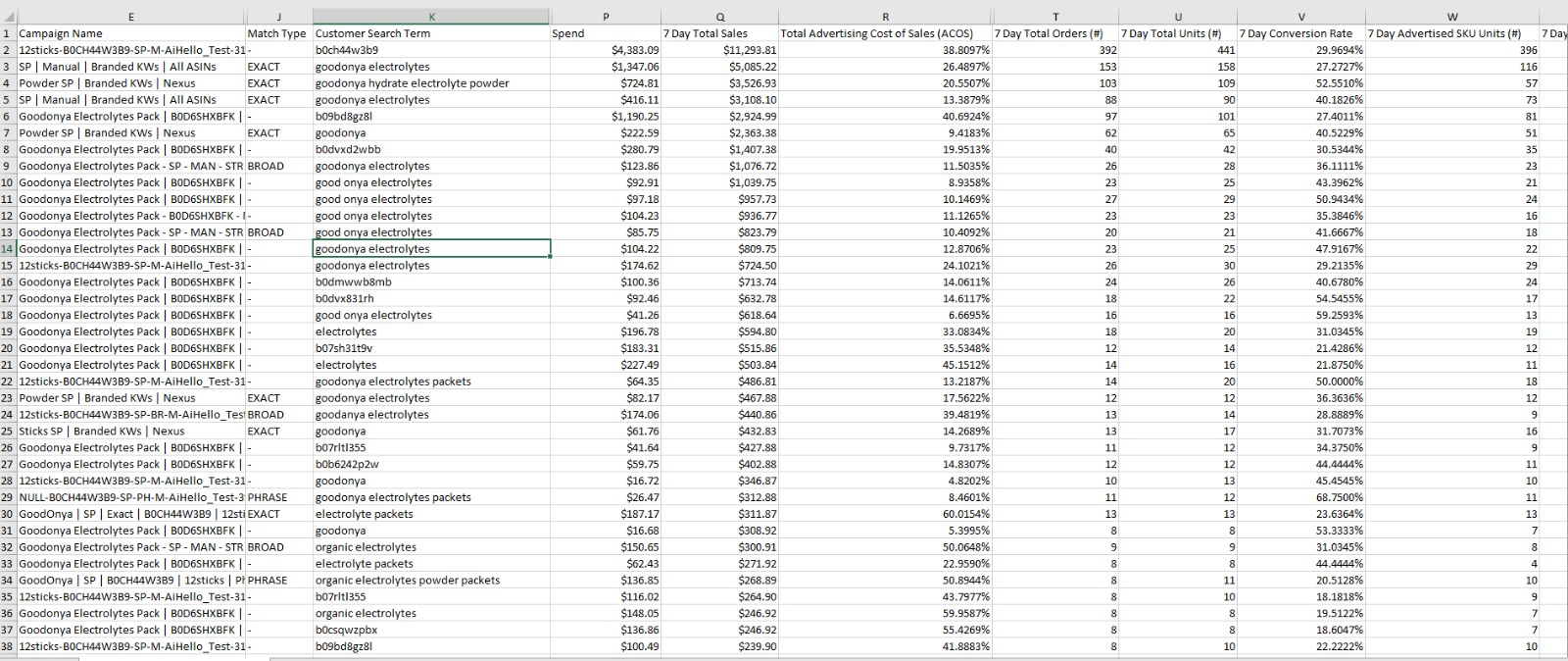
How Automation Improves Keyword Harvesting
- Faster decisions: Good search terms can be identified sooner, reducing the timing gap.
- More consistency: The same rules can be applied across campaigns instead of relying on someone to remember to check each one.
- Less manual work: You spend less time downloading reports, sorting spreadsheets, and moving keywords between campaigns.
- Easier scaling: The process becomes much easier to manage when you have multiple campaigns and ASINs.
This is where tools such as AiHello can help. Instead of manually going through search term data and deciding what to do with every opportunity, AiHello can automate parts of the keyword harvesting process based on your campaign rules and performance data.
The goal isn’t to remove the seller from the process. It’s to remove the repetitive work around it.
You still decide the strategy.
Automation options: Adjust Bid vs. Negate3
- Adjust Bid : Decrease bids on wasteful terms (e.g., no sales or ACOS ≫ target). Useful when you still want to test the waters at a lower CPC.
- Negate: Hard stop. Ideal for irrelevant queries or terms that repeatedly burn budget with no conversions.
You can chain strategies: first reduce bids when Clicks > X and Sales = 0, then negate if still no sales after another lookback window.
How to do keyword negations4
All you do is go to your campaigns and select the multiple of CAC (customer acquisition cost) that you want to start negating search terms at if they don’t produce sales.

A 1.7x multiple means that if your regular CAC for this ASIN is $10, you can spend $17 on a search term before negating it for not producing sales.
This takes less effort and is more accurate than manual negation.