
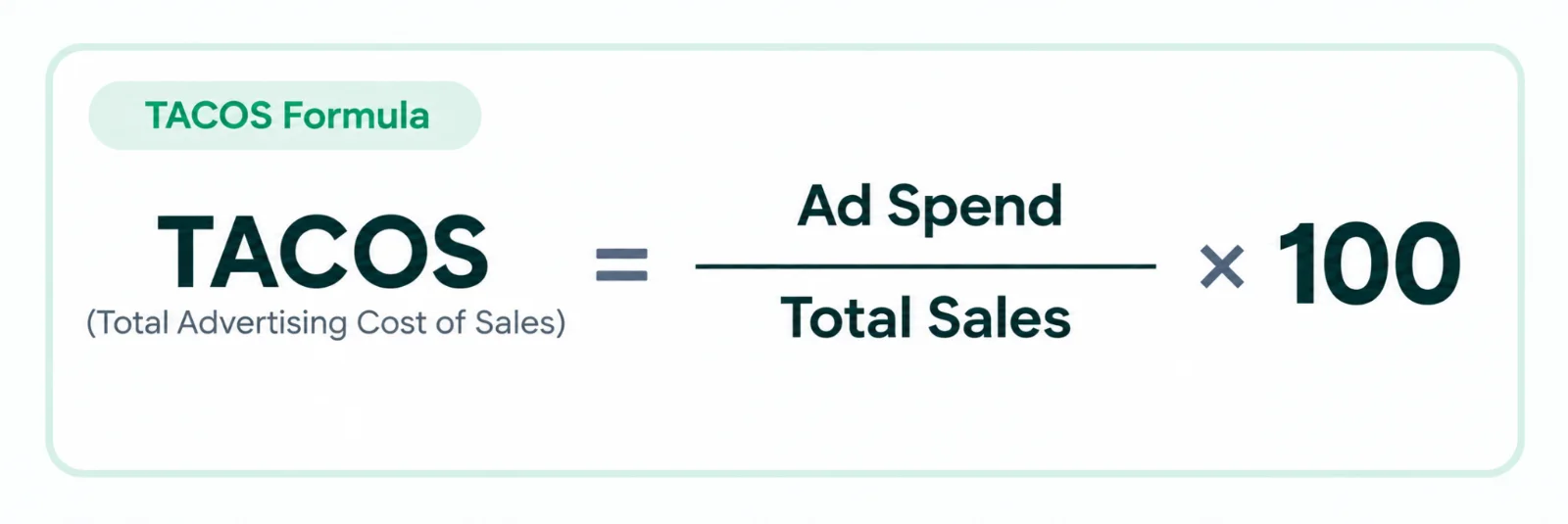
Amazon TACoS or Total Advertising Cost of Sale is the percentage of your total revenue that is spent on ads.1
How to Calculate TACoS1
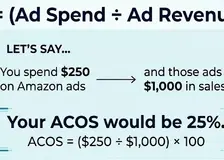
TACoS = (Total Ad Spend / Total Revenue) x 100
Let’s say you spent $10,000 on ads, and those ads brought in ad sales worth $20,000 and organic sales worth $30,000.
Plugging it into the Amazon TACoS formula, you’ll get a TACoS of 20%.
(10,000/50,000) x 100
The reason we include organic sales is because, without ads, you won’t rank organically for any keywords. Following that logic, all organic sales are indirectly a byproduct of your ads.
How TACOS Helps Measure Overall Amazon Growth2
TACOS gives a better and broader perspective of your Amazon business.
Because your total sales involve both the organic sales and advertising sales the sales which are generated from your advertisement
Tacos is the metric that will help you understand how much you are generating revenue from your ads and how much you are generating from the organic sales.
If your total sales grow while your ad spend remains relatively normal and stable, your tacos can be lowered, which may indicate that your business has stronger organic sales and more efficient overall growth.
If your TACOS is rising it means that you are spending more on advertising relative to your total sales. This happens when your ad spend increases faster than your sales or when the percentage of your organic sales declines.
A falling TACOS indicates that your total sales are growing faster than your advertising spend.
How Does Amazon PPC Help Organic Rankings?3
The story is different on Amazon. Amazon’s paid search ranking is influenced by the same factors that drive its organic position. The purpose of Amazon’s organic ranking system, in other words, is to serve products that are both relevant and buyable.
The organic ranking of a product is directly influenced by sales. As a result, more sales produced through PPC ads will improve a product’s organic rating.
This influence is particularly relevant when it comes to new items. New items typically lack a sales history and, as a result, performance data, which hurts organic ranking. This can be changed using Amazon PPC, which drives traffic to the product listing and so increases sales.
How to Use TACoS to Drive More Sales and Profits1
Here are 9 situations where you can increase your Amazon sales and profits by analyzing and optimizing your TACoS:
High TACoS Despite Low ACoS
This usually happens when most of your sales come from PPC campaigns where you’re bidding too low, or going for low-volume keywords only.
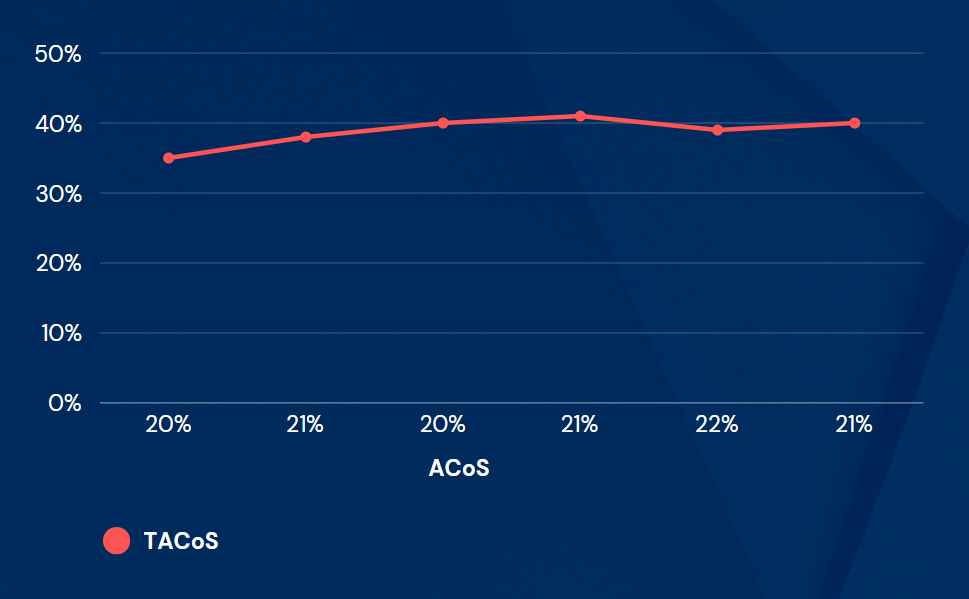
Bidding low and using long-tail keywords give you a good ACoS, but they result in you having lower sales (and therefore, less relevance) on the important keywords that you need to rank on organically.
This makes you fully dependent on your ad sales since very little organic sales will come in, so your TACoS will always remain high.
To avoid this, you need to regularly adjust your bids across campaigns and experiment with higher bids on high-converting, higher-volume keywords to find a balance between keeping a low ACoS and staying competitive.
Low Organic Sales
If you are not getting enough organic sales after launching your product, TACoS will be high, even if you’re doing well with ads.
Improve listing conversion rate2
Before changing anything in your campaign make sure that your listings are top-tier and your product detail page is actually converting and driving results. Having a very good product title, description, strong A+ Content, and clear product benefits can help you get a lot more sales.
Refine keyword targeting
Focus on the keywords that are actually driving results for you and the keywords that are driving relevant traffic and conversions. Use Exact Match, proven high-converting keywords, high-performing keywords, and add negative keywords to prevent wasted spend on irrelevant or poor-performing search terms